
Step 1: Access Email Settings 0:00
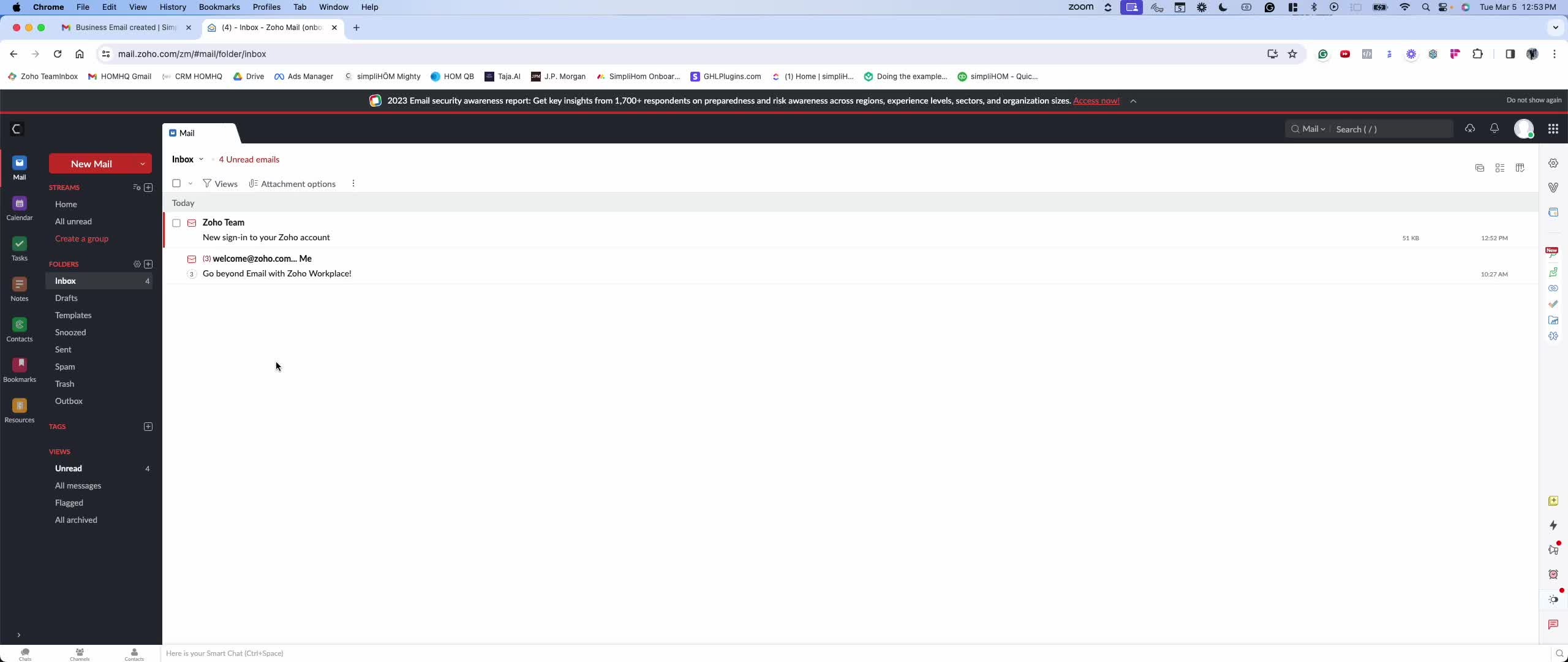
Navigate to the settings of your simpliHŌM email account.
Locate the 'Mail Accounts' section.
Step 2: Set Up Forwarding 0:15
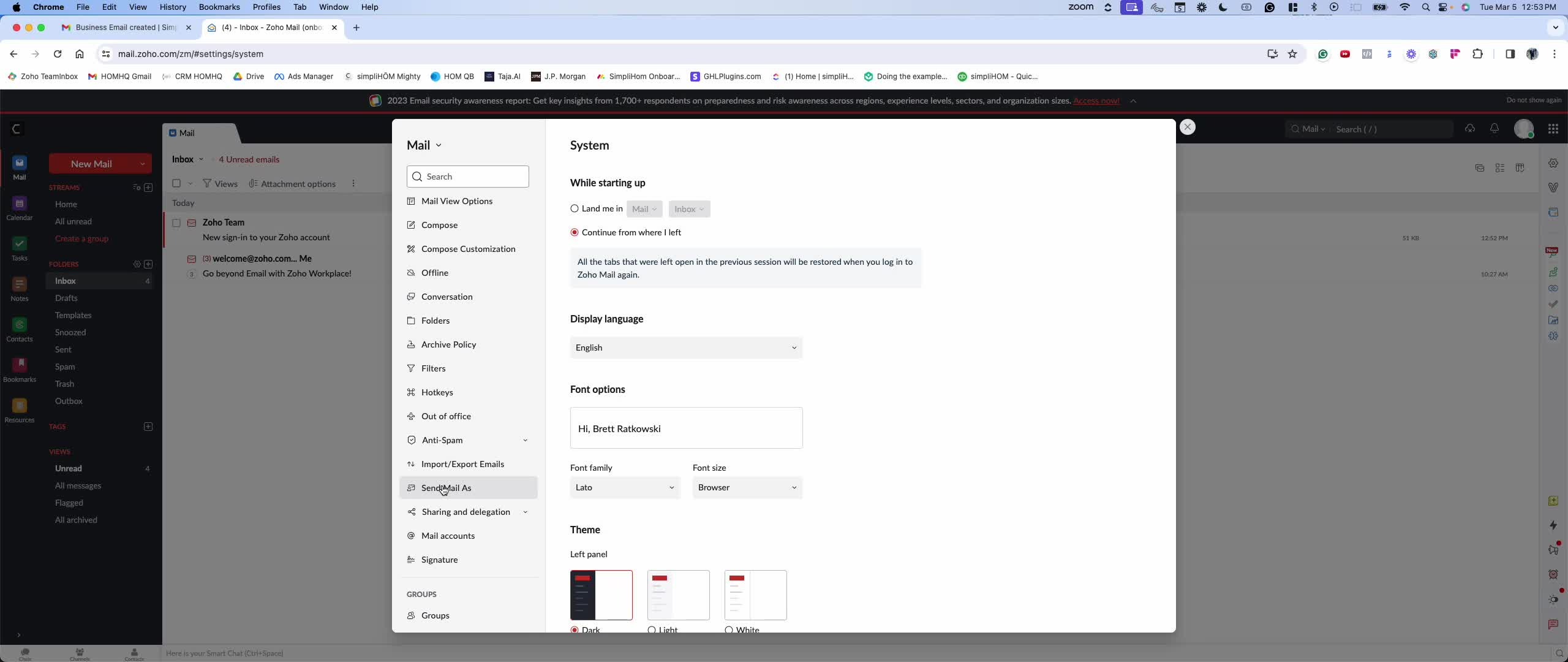
Click on 'Forward' in the mail accounts section.
Enter the personal email address you wish to forward your simpliHŌM emails to.
Step 3: Verification Code 0:29
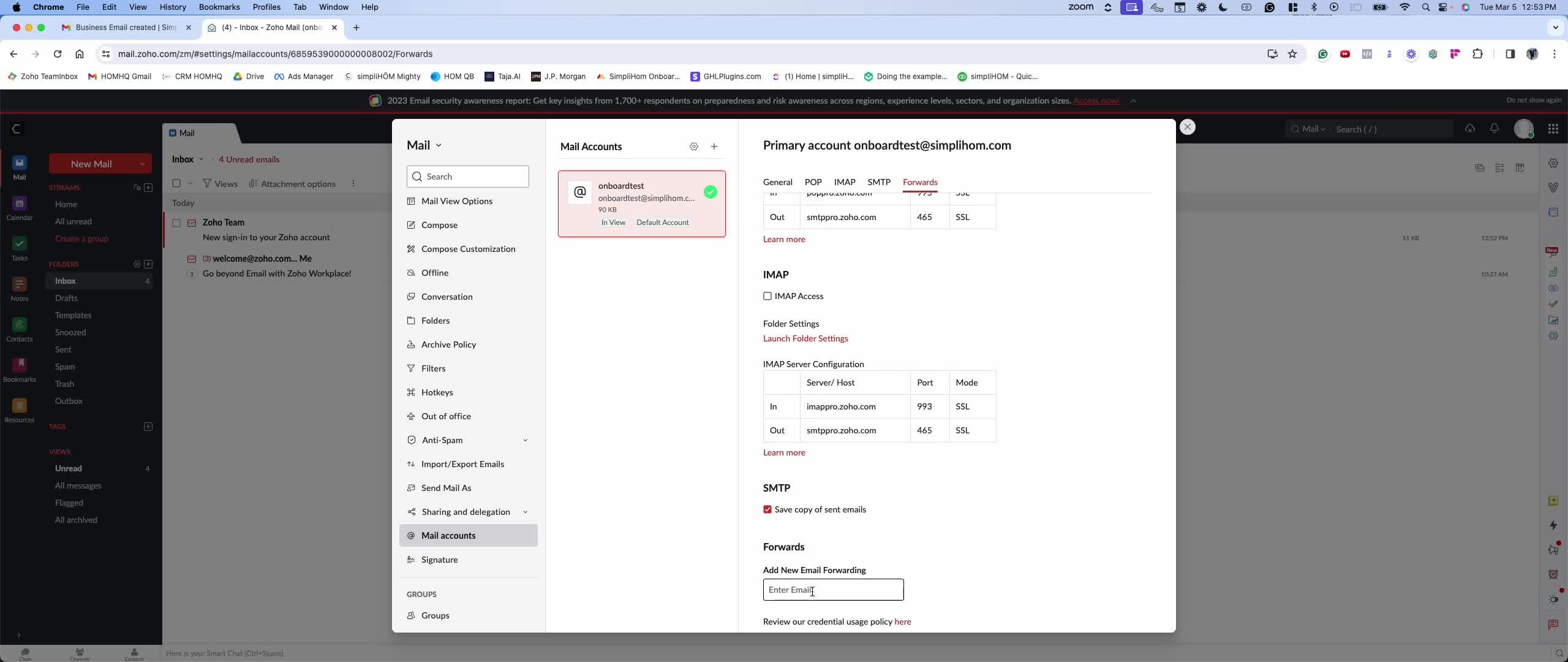
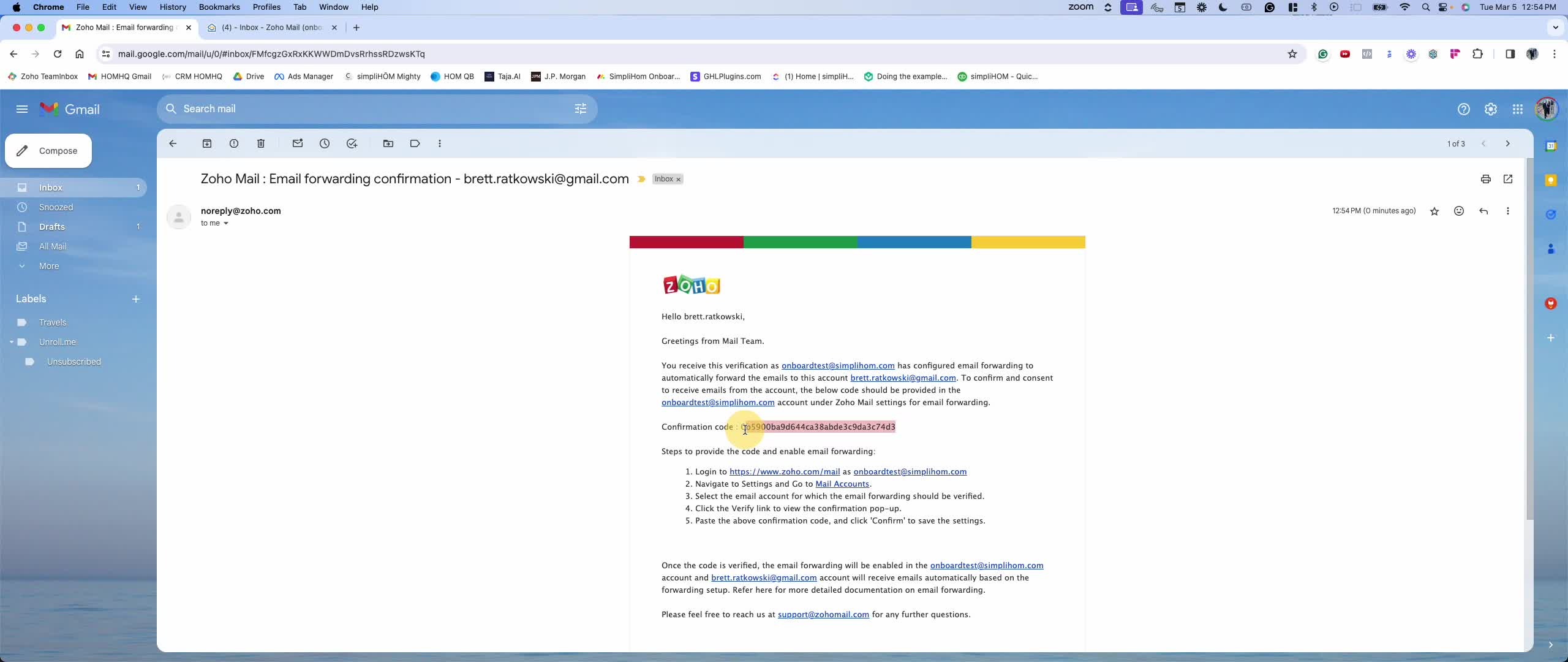
After entering your personal email, a verification code will be sent to that email.
Check your personal email for a message from 'no reply'.
Step 4: Copy Verification Code 0:47
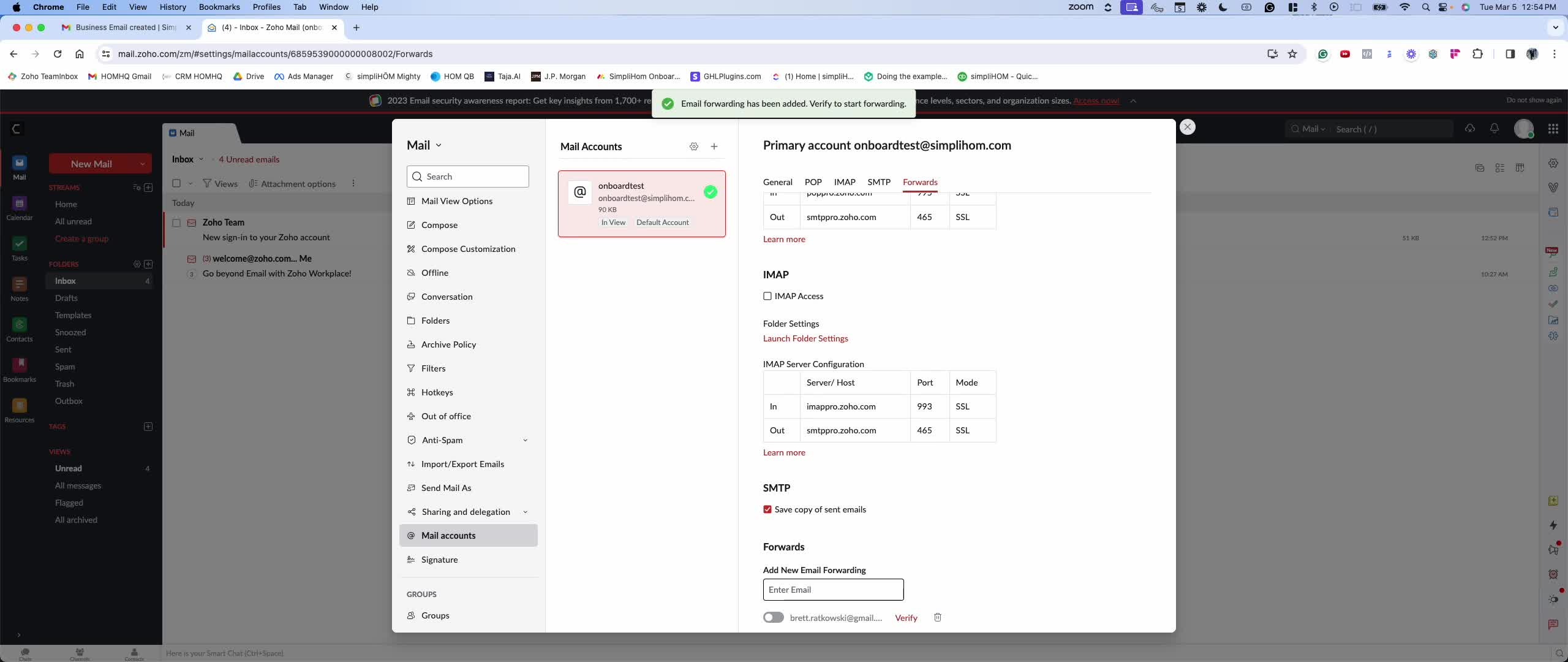
Open the email and copy the long verification code provided.
Step 5: Verify Forwarding 1:03
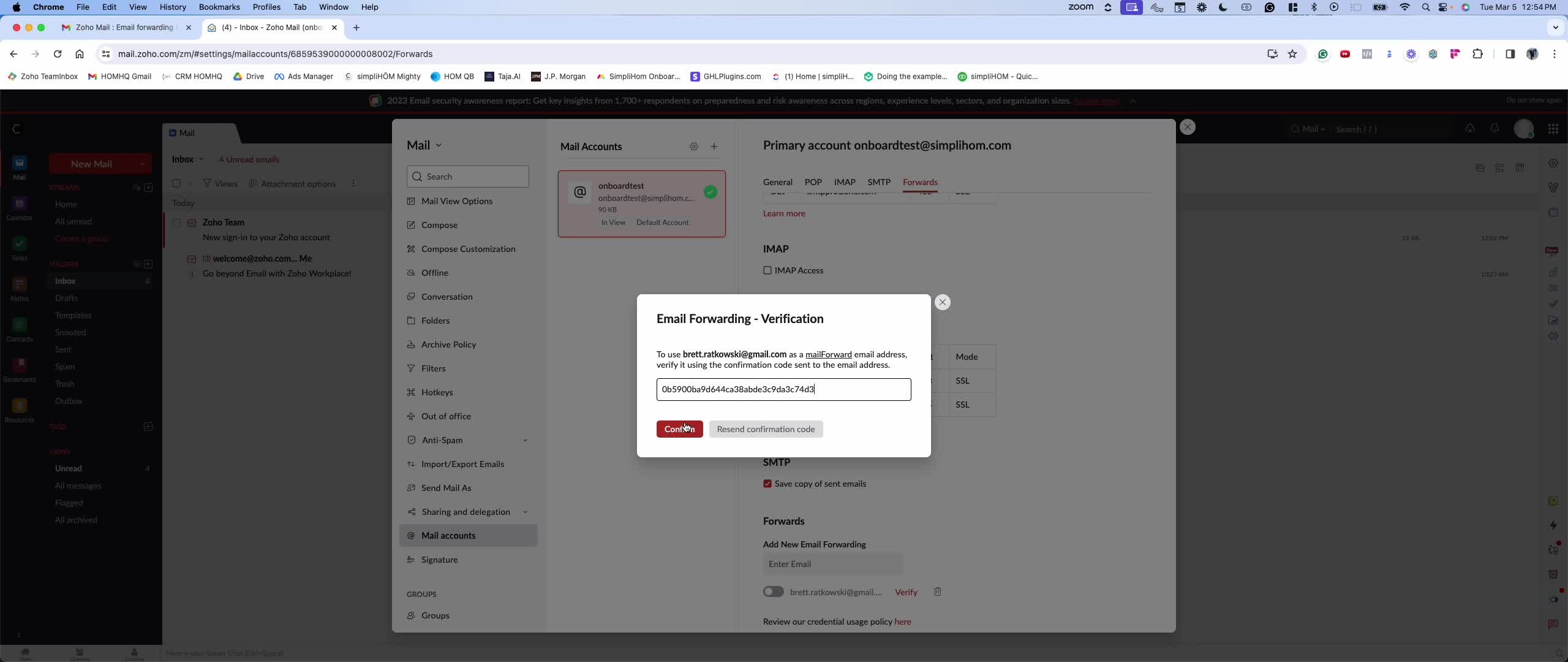
Return to the simpliHŌM email settings.
Paste the verification code into the designated field and click the 'Verify' button.
Step 6: Confirm Forwarding Status 1:13
If you wish to confirm that forwarding is active, check the bottom of the settings page.
It should indicate that all emails are being forwarded.