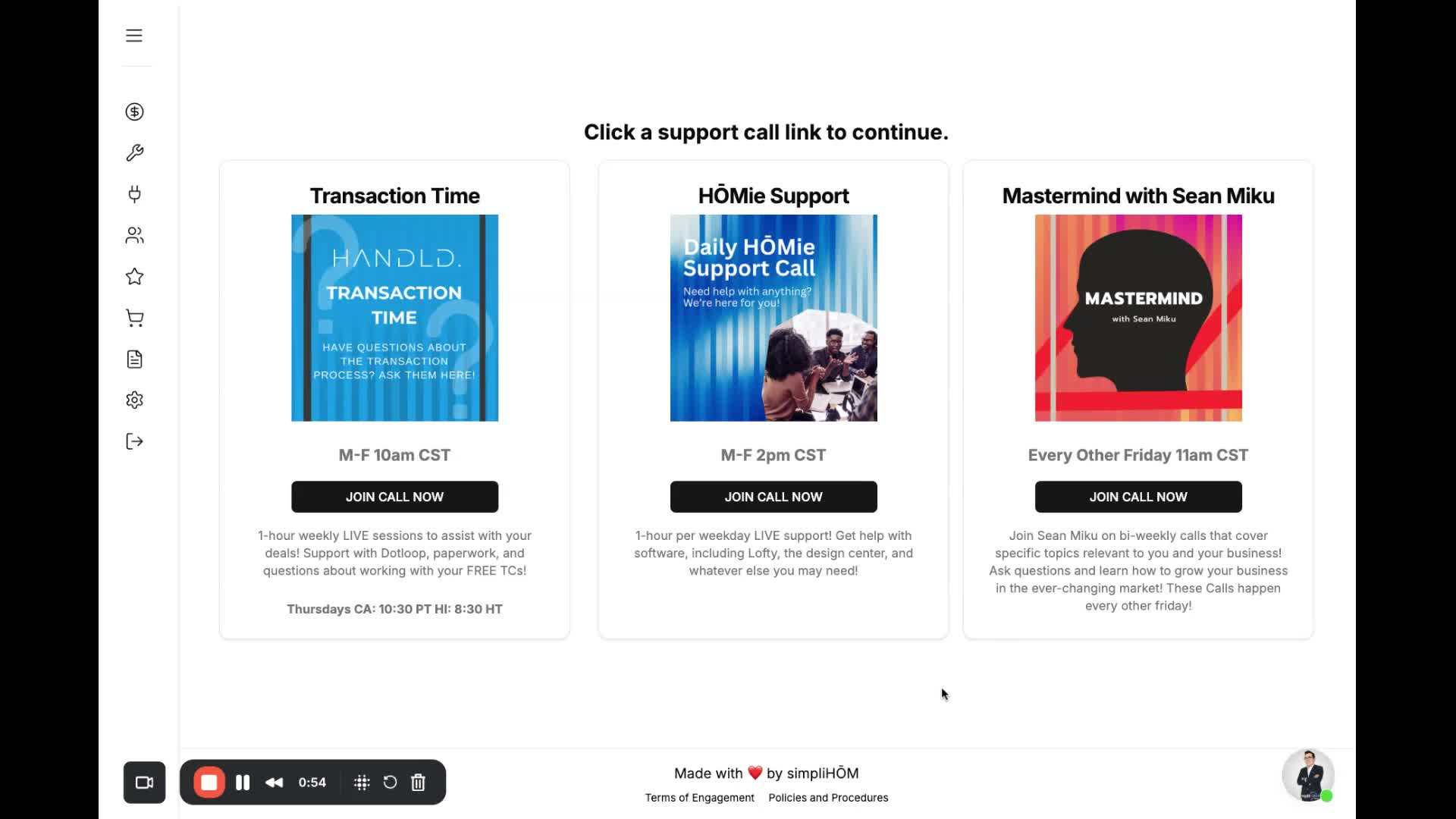
Step 1: Log into HomHQ 0:00
Open your web browser.
Navigate to the HomHQ login page.
Enter your credentials to log in.
Step 2: Locate the Support Button 0:09
Once logged in, look at your dashboard.
Find the large button labeled 'Support'.
Step 3: Access Support Calls 0:16
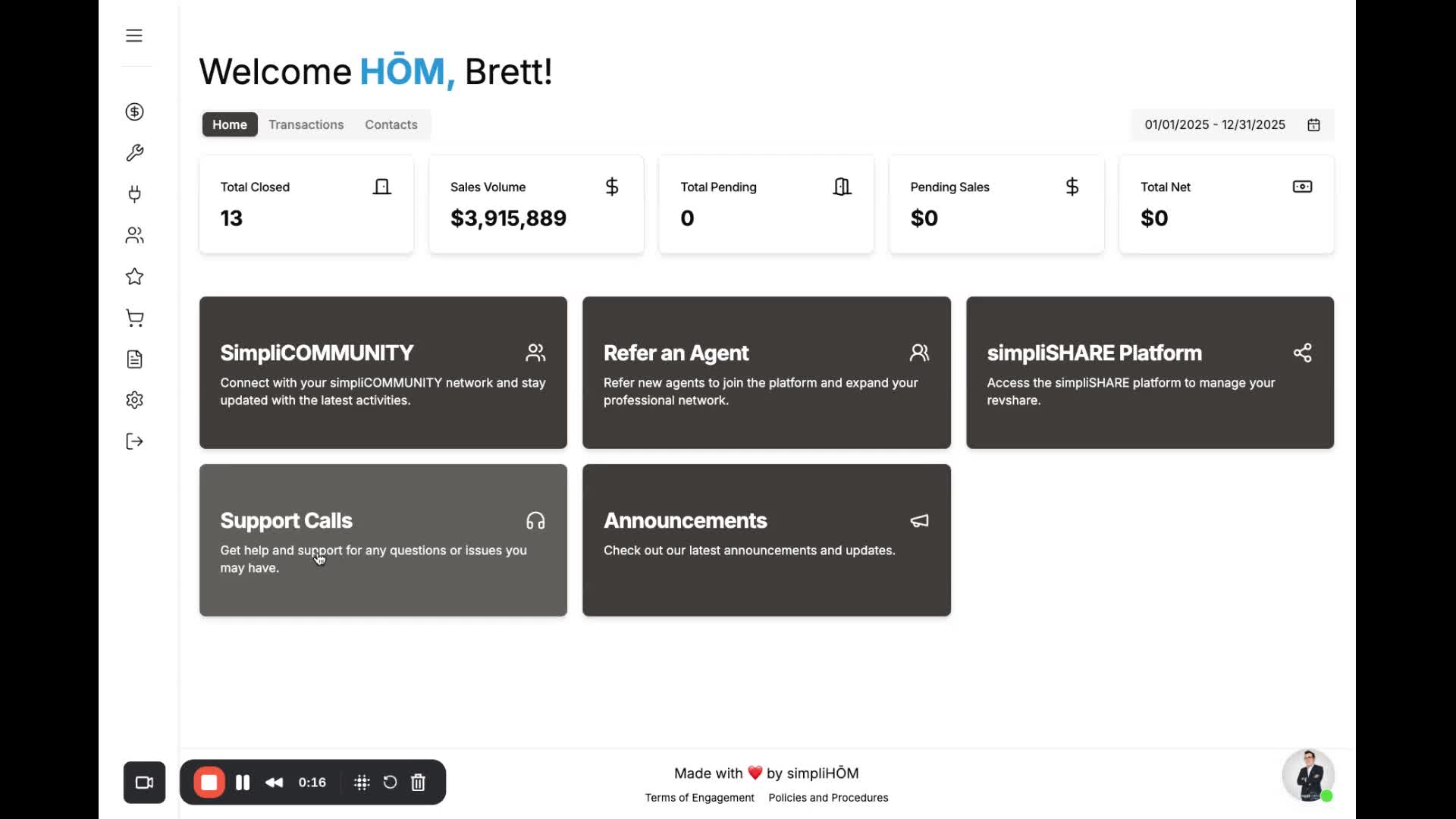
Click on the 'Support' button.
Alternatively, look for tabs at the top of the page that say 'Support Calls'.
Step 4: Choose a Type of Support Call 0:23
You will see three different types of support calls available:
Transaction Management Calls: Join these calls Monday through Friday.
Daily Homie Support: Hosted by Sarah, available Monday through Friday at 2 PM Central.
CEO Mastermind Calls: Held every other Friday, led by the CEO and founder of Simply Home.
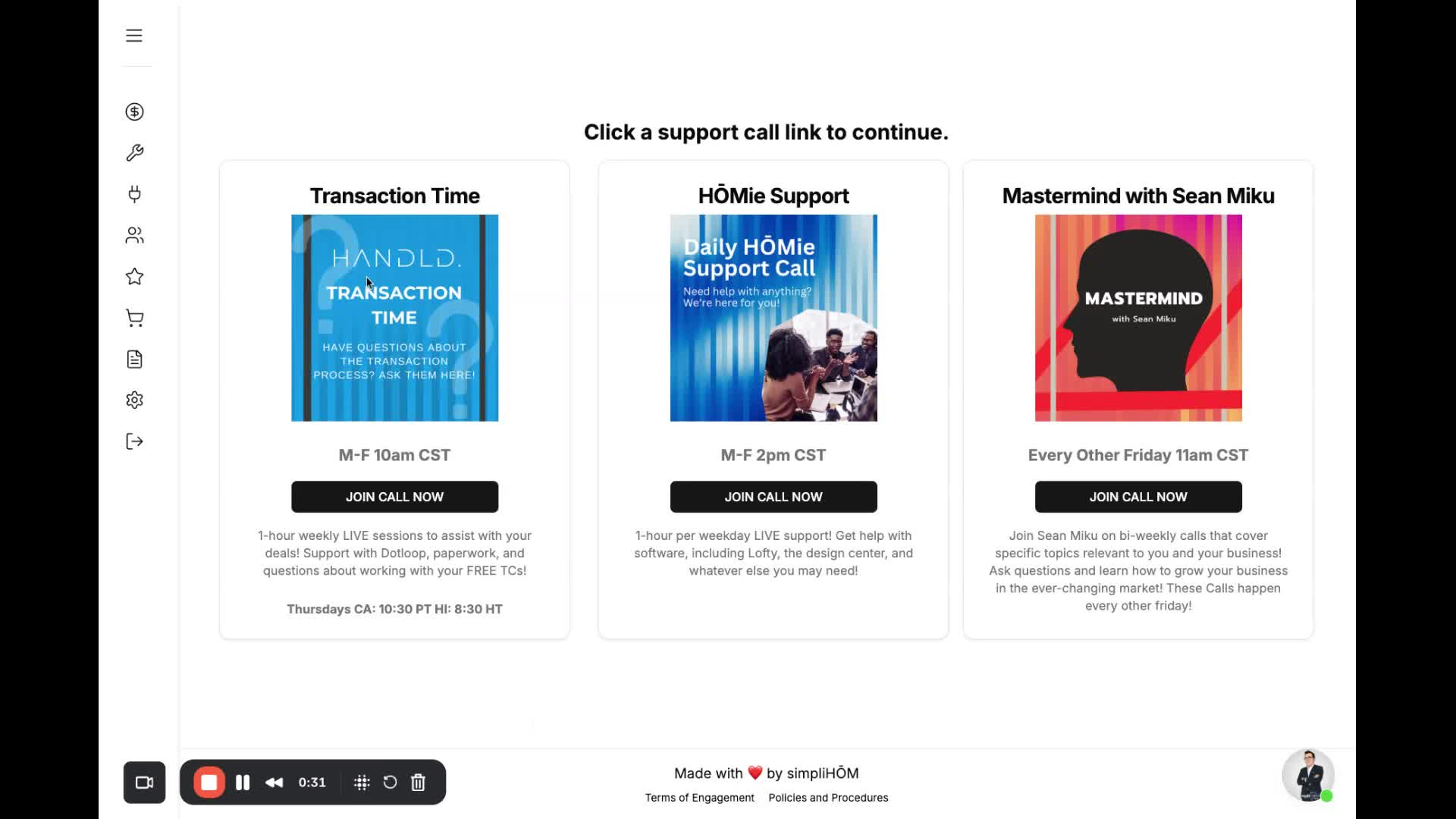
Click on the link for the call you wish to join.
Follow any additional prompts to enter the call.
Step 5: Contact Support if Needed 0:55