
Step 1: Log in to HOMhq 0:00
Go to the HOMhq login page.
Enter your credentials to log in.
Step 2: Access the simpliSHARE Platform 0:15
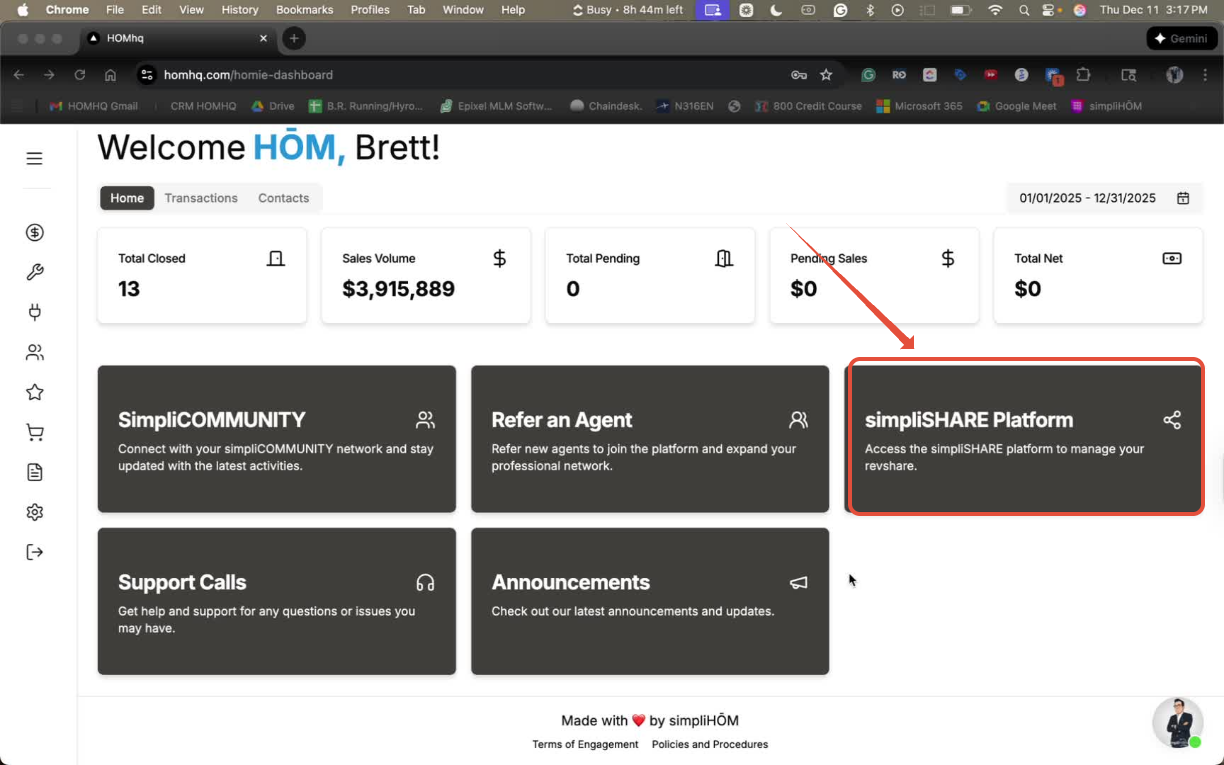
From the dashboard, locate the simpliSHARE Platform.
Click on it to be redirected to the RevShare portal.
Step 3: Log in to the RevShare Portal 0:29
If prompted, log in using the same credentials as HOMhq.
You can choose to log in with passwordless options or by entering your email and password.
Step 4: Find Your Personalized Domain 0:54
Once logged in, look for your personalized domain link on the dashboard.
Copy this link; it is a duplicate of the joinsimplihom.com website.
Use the Promotional Link (Optional) 1:15
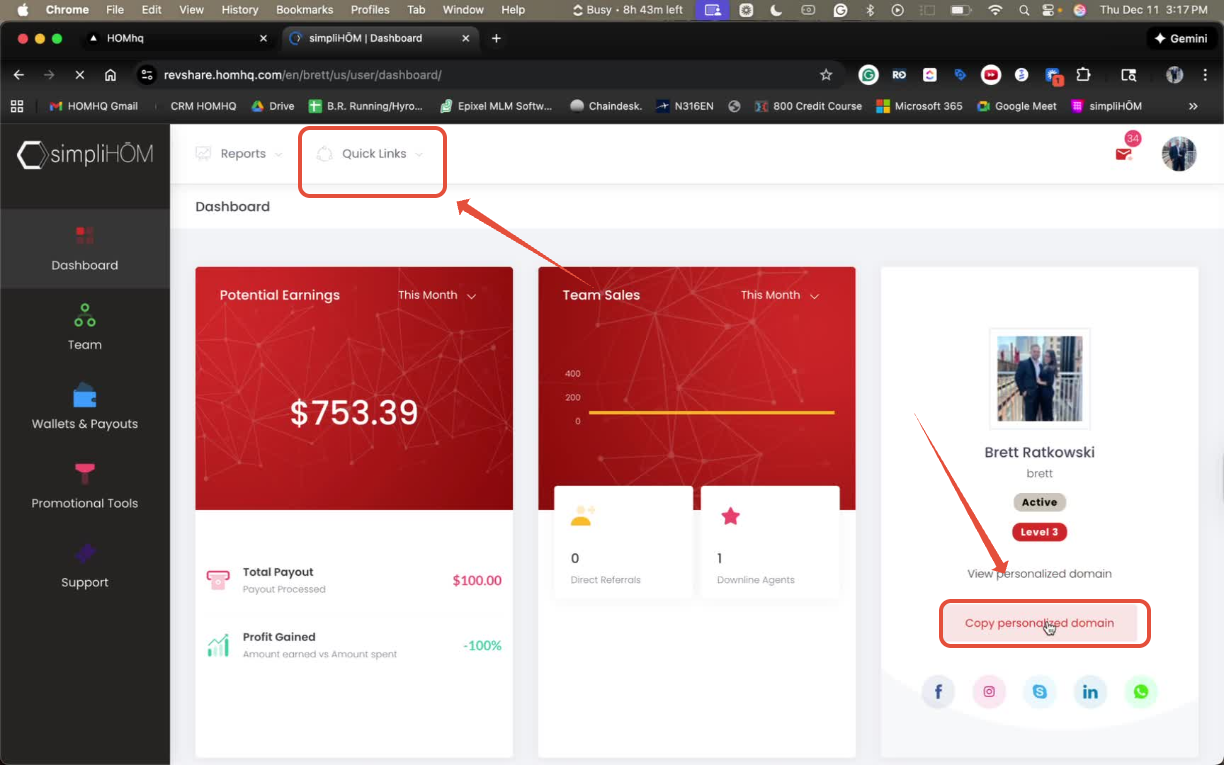
If you know the agent is ready to join, go to the 'Quick Links' section.
Click on 'Promotional Link' and accept the terms.
Copy the referral link provided; this link directs them to the onboarding page with your name associated.